

Search term research is the process of identifying the most relevant keywords for your app.
Apple and Google’s search algorithms analyze various metadata fields—such as the title, subtitle, and keywords field in the App Store, and the short and full descriptions in Google Play. Their goal is to understand what the app does and match that information with user search behavior.
The more closely your chosen keywords match real user terms, the more likely your app will appear in search results and grab the attention of your target audience.
The process is similar to SEO (search engine optimization on the web), but it has its own unique characteristics. To better understand the differences, let's compare ASO and SEO:
Although the fundamental principles are similar, ASO focuses on how users search for and choose apps, rather than websites. This means that search phrases must align not only with the keywords themselves but also with user expectations around the app’s functionality and value.
Find out more in our blog post: “What is ASO and how to promote a mobile app correctly.”
The benefits of doing keyword research:
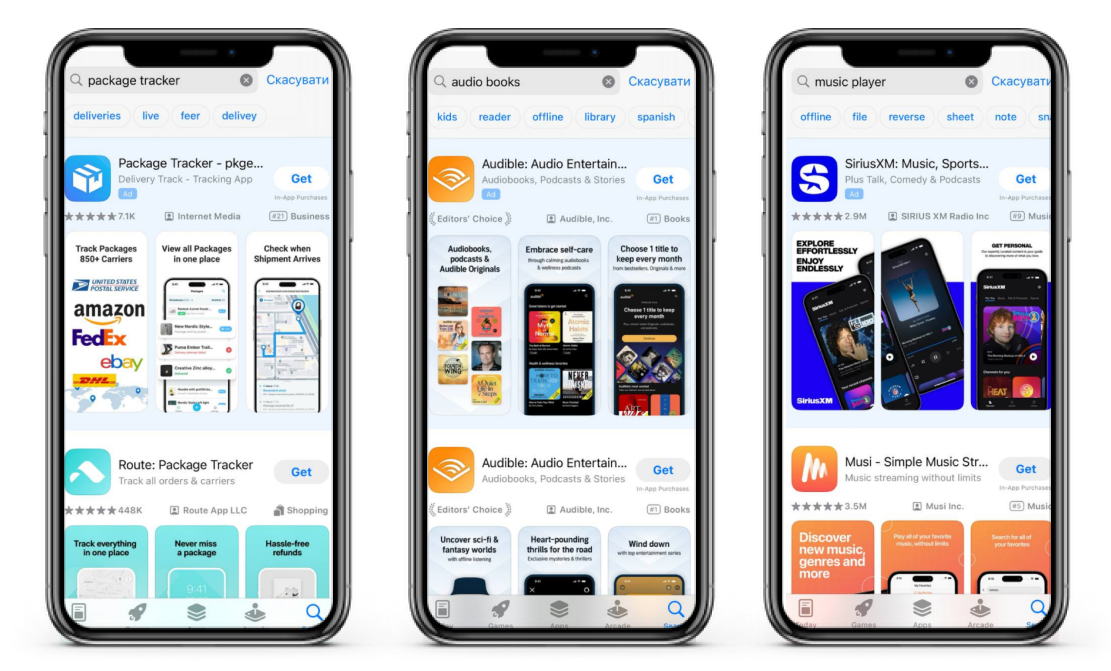

Below, I’ll outline the key stages of App Store keyword research—from idea generation to implementation in your app’s metadata. Whether you're new to ASO or aiming to refine your current strategy, this article offers practical tips and helpful tools to support your success.
Since collecting, analyzing, and tracking keyword performance can be technically challenging, it's worth using specialized ASO tools that simplify the process:
Keep in mind that keyword research isn’t a one-time task—it’s an ongoing process that requires regular attention. Trends shift, new competitors enter the market, and app store algorithms continue to evolve.
Start by collecting all potential keywords related to your app’s features and the problems it solves. Focus on the search terms your target audience is most likely to use in their search terms. It’s also helpful to gain an outside perspective—ask others how they would describe your app and what search terms they might use to find it.
Document all relevant keyword options and combinations—even the ones that seem obvious. This list will serve as the foundation for your further analysis.
The simplest way to start is by analyzing the metadata of your competitors. Review both direct competitors and the top-performing apps in your category to identify the keywords they rank for. ASO keyword tools like Asolytics, Sensor Tower, App Annie, and Mobile Action can streamline this process and help you gather valuable insights. Add all relevant keywords you discover to your list—these will be analyzed and prioritized in the next steps.

Using competitors’ brand names in your metadata can be an ASO strategy to attract attention and drive traffic to your app. It allows you to leverage your competitors’ popularity, appear in search results when users look for their apps, and potentially convert their audience into your own users.
You can include popular, brand-related keywords used by competitors:
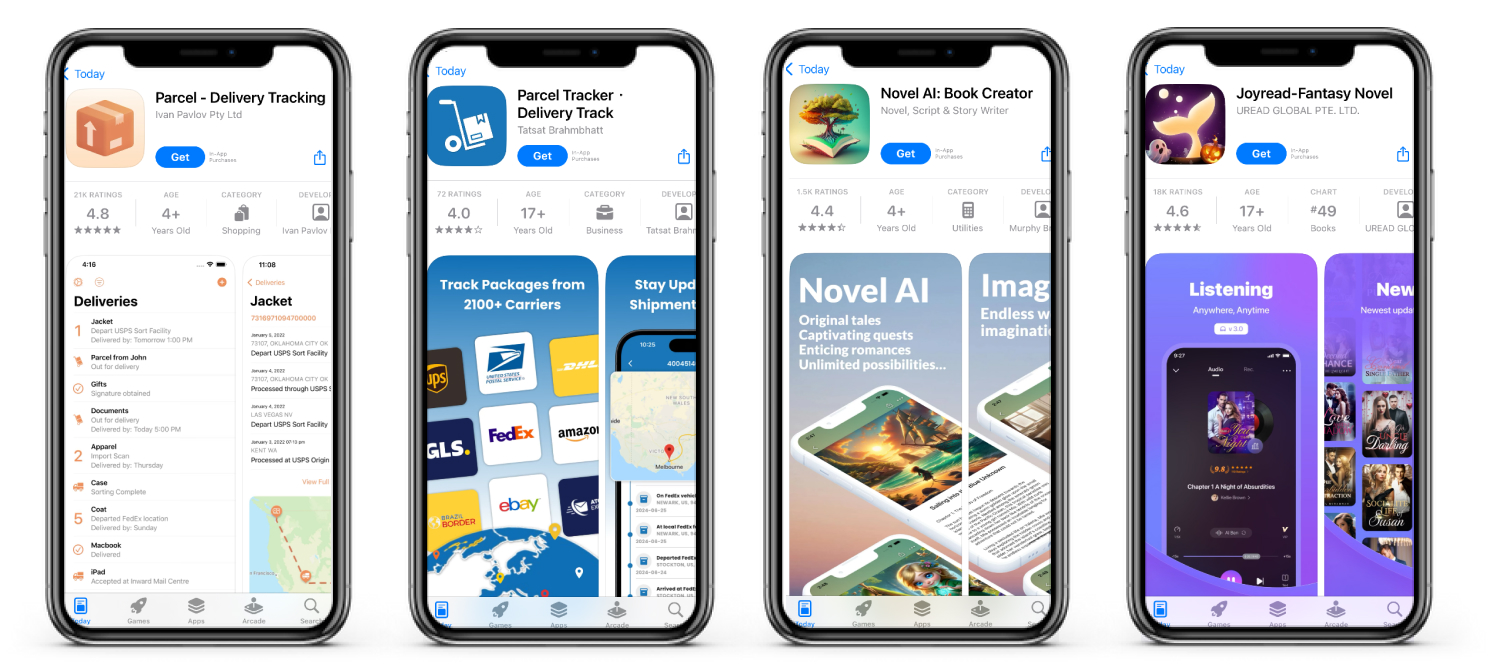

However, be sure to follow the App Store’s guidelines and ethical standards to avoid potential penalties or removal.
The App Store and Google Play display popular search suggestions directly in the search bar. These recommendations offer insight into what users are searching for most frequently. The higher a phrase appears on the list, the greater the demand for it.
Begin by typing basic search terms that describe your app into the App Store or Google Play search bar. Review the autocomplete suggestions that appear and note them down—these can be valuable for generating additional relevant keyword ideas later.
For example, if your app is related to fitness, type in the search term “fitness” and review all the suggestions that appear. These may include terms such as “fitness bracelet,” “fitness app,” “fitness training,” and “fitness tracker.” Once you’ve written down the auto-suggestions, you can later enter them one by one to uncover even more keyword variations.

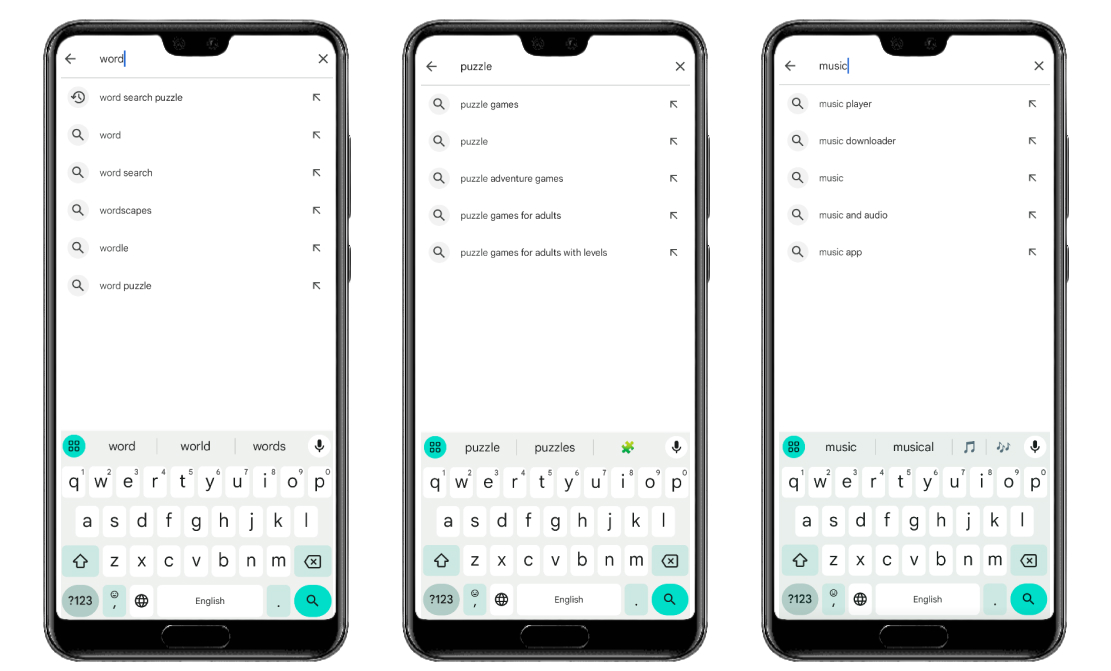
To discover as many search terms as possible from autocomplete suggestions, use ASO services:

When setting up campaigns in Apple Ads, start by entering basic terms that describe your app’s functionality. The platform will then suggest additional keyword options with strong promotional potential. Evaluate each suggestion for relevance and its ability to improve visibility, then select the most effective ones to expand your reach through a broader range of search combinations.

App store reviews reveal how users describe the product, its functionality, and its benefits. Analyze not only your own app’s reviews, but also those of your competitors. This can help you better understand your audience’s expectations and collect relevant language for your keyword strategy.

Key steps to take:

Translating search terms can be both a valuable and insightful step in your keyword research. While it may seem unnecessary at first, it becomes especially important when localizing your app for different languages. Translation can reveal highly popular terms with low competition in search results. By incorporating these localized keywords into your metadata, you can increase impressions and drive more app installs.
Once you have compiled a list of potential keywords, select only those that you will use in the app metadata.
Analyze the keywords you’ve collected, taking into account the following factors:


Since the visible fields in the app metadata are the most important for indexing, select up to ten primary keywords that you will use in these fields, and add the remaining ones to the full description and keywords field.
The Apple App Store and Google Play have similar metadata fields, but there are certain key differences:
App name: Include the most important keywords here, as this element carries the greatest weight in the algorithms. You may also include your brand name, though this is not essential during the early stages of project development.
Subtitle (iOS): Expand your reach by including additional relevant keywords that complement the app title.
Keywords Field (iOS): Populate this field with relevant phrases not already used in the app title or subtitle—avoid any duplication.
Description (Google Play): Naturally incorporate search terms throughout the text, especially near the beginning, as these lines have the greatest impact on indexing.
Keep in mind that changes in the App Store typically take effect within two to three days after release, whereas reindexing in Google Play can take up to a month.
In the previous stages, you’ve already become familiar with the process of working with search terms. However, there are common mistakes that frequently occur. It’s important to be aware of these and avoid them.
Choose only terms that accurately reflect your app’s functionality. This will help attract targeted organic traffic and boost your search rankings.
Make it a habit to regularly analyze your competitors’ apps. This will help you understand which keywords they use and how they optimize their apps.
Regularly reviewing user comments is valuable—they provide new ideas for improving features and expanding search coverage.
To stay visible in search results, regularly review and update your text fields to reflect changes in audience behavior. Ideally, App Store metadata should be refreshed twice a month.
Utilize specialized tools to analyze keywords, assess their effectiveness, and adjust your strategy based on data-driven insights.
Avoid using metadata made up only of high-frequency keywords. Combine them with less competitive, niche terms—this approach is especially important for new apps, which find it easier to rank for more specific search terms.
Use not only short keywords but also multi-word search phrases—they tend to be less competitive and better attract a targeted audience that is more likely to engage with your app.
Avoiding these common mistakes will help you achieve better results, increase your app’s visibility, and attract more users!





.avif)